💡 Beginner Executive Summary
Are you searching for a clear, accessible answer to what is WordPress? In this complete 2025 beginner guide by Teracology, we unpack what is WordPress, detail the fascinating WordPress history, highlight game-changing WordPress features, and show you how to launch your site with confidence.
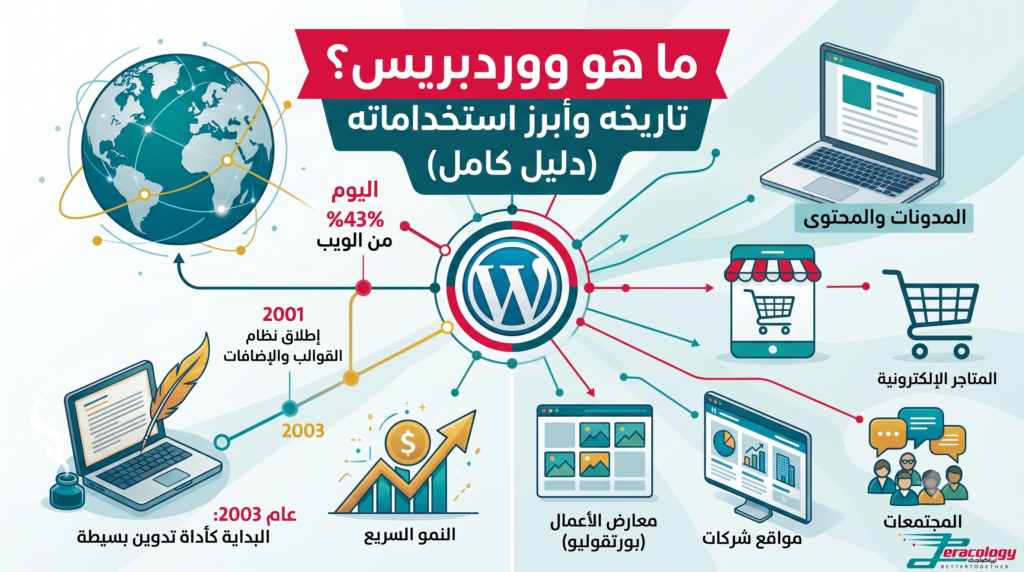
When starting an online journey, almost everyone asks the fundamental question: what is WordPress and why does it power over 43% of all websites on the internet? In this guide, we provide a plain-English explanation, exploring the rich WordPress history and the most powerful WordPress features that make it the world’s leading content management system.
Think of WordPress as a smart word processor similar to Microsoft Word. But instead of saving documents locally to your computer, WordPress publishes your content directly to the web as beautiful, interactive web pages without requiring a single line of code.
What Is WordPress and How Does It Help Beginners Build Websites?
Understanding what is WordPress starts with recognizing how website building has evolved. Decades ago, building a site meant hiring expensive programmers to write complex code. Today, WordPress empowers anyone to launch a blog, corporate site, or online shop in less than an hour.
WordPress is a Content Management System (CMS) that gives non-technical users total visual control over their digital presence:
- Create and Publish Pages: Write articles using a friendly drag-and-drop block editor.
- Manage Media & Images: Upload photos and documents into a clean organized library.
- Customize Site Design: Switch themes easily to update colors, fonts, and headers.
- Add Smart Features: Install free plugins to expand your site’s capabilities instantly.
WordPress History: How It Grew into a Global Web Giant
Exploring WordPress history provides deep insight into why this open-source platform dominates the web today. The journey began in 2003 when co-founders Matt Mullenweg and Mike Little set out to create a simple blogging tool to replace an abandoned project called b2/cafelog.
A global community of volunteer developers quickly united around the project. A pivotal moment in WordPress history occurred in 2005 with the launch of the plugin and theme architecture, transforming WordPress from a modest blogging tool into an enterprise-grade web application platform.
Key WordPress Features That Power 43% of the Web
The vast range of WordPress features makes it the undisputed choice for individuals, small businesses, and fortune 500 companies alike. Primary WordPress features include:
- 100% Free Open-Source Software: Download and modify the core software without recurring licensing fees.
- User-Friendly Visual Interface: Manage your content easily through an intuitive dashboard.
- Massive Ecosystem of 60,000+ Plugins: Add e-commerce, contact forms, or SEO tools in a few clicks.
- SEO Dominance Out of the Box: Clean HTML markup helps your content rank higher on Google search results.
- 100% Data Ownership: Maintain total control over your server files, images, and content database.
Comparison Matrix: WordPress vs Closed SaaS Builders
| Evaluation Criteria | WordPress (Self-Hosted) | Closed Hosted SaaS Builders |
|---|---|---|
| Ownership & Autonomy | 100% Full Data Ownership | Subscription Lock-in (Hosted Rental) |
| Plugin & Feature Ecosystem | 60,000+ Free & Premium Plugins | Limited App Market Selection |
| SEO Customization | Complete Control (Rank Math, Schema) | Basic Native Settings |
Frequently Asked Questions About What Is WordPress
What is WordPress and is it free to use?
Why is WordPress history important for site owners?
What are the top WordPress features for beginners?
For technical references, visit WordPress.org and check global statistics on W3Techs.
Step-by-Step Beginners Roadmap to Launching Your First Site
Understanding what is WordPress is only the beginning. Here is a simple 5-step roadmap every non-technical beginner can follow to launch a professional web presence today:
- Register Your Custom Domain: Select a memorable name reflecting your personal brand or business.
- Choose Reliable Web Hosting: Hosting serves as the physical home for your site assets. Select hosts providing 1-click installation.
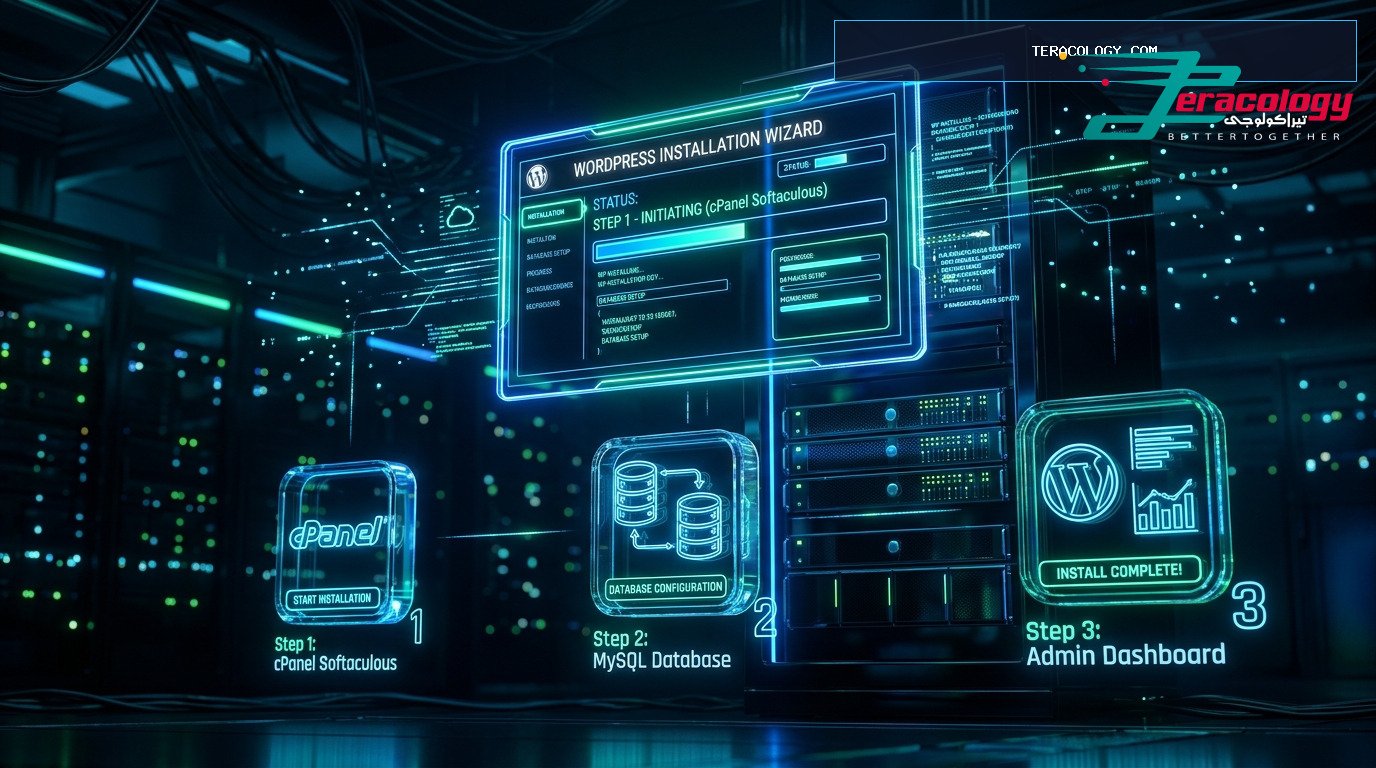
- Install WordPress in One Click: Thanks to advancements throughout WordPress history, auto-installers finish setup in under two minutes.
- Select & Customize a Theme: Take advantage of native WordPress features to pick a responsive design layout.
- Activate Essential Plugins: Install basic security, caching, and Rank Math SEO plugins to start attracting audience traffic.
Avoiding Common Beginner Traps on WordPress
When new users learn what is WordPress, they often encounter avoidable mistakes. Follow these golden rules for a seamless experience:
- Avoid Pirated or Nulled Themes: Pirated software contains malicious code that compromises your site data.
- Never Skip Core Security Updates: A major highlight in WordPress history is continuous security patching—keep core updated automatically.
- Optimize Image File Sizes: Compress images prior to uploading to keep page loading speeds under one second.
- Maintain External Cloud Backups: Store off-site backups on Google Drive or Dropbox for peace of mind.
The Future of WordPress and AI Integration in 2025
The latest chapter in WordPress history introduces seamless artificial intelligence tools directly within the block editor. In 2025, smart WordPress features assist non-technical creators in drafting headlines, organizing site structure, and optimizing SEO automatically.
Real Breakdown of Building a Website with WordPress for Beginners
When learning what is WordPress, every beginner wants to know the actual startup investment. Although core WordPress features confirm the software is 100% free open-source software, minor foundational costs exist:
- Domain Name Registration: to per year to secure your custom web address (.com).
- Web Hosting Plan: to per month to host your site files on dedicated servers.
- Free Themes and Plugins: You can build a multi-page site utilizing 100% free open-source tools.
Throughout WordPress history, no other platform has enabled non-technical creators to launch global web properties at such an affordable price point. This financial accessibility remains one of the top WordPress features.
Additional FAQ Guide for Decision Makers
- Can I change my domain name later? Yes, you can update your site domain or rebrand easily from your control panel.
- What is the difference between a blog and a business website in WordPress? Blogs display chronological articles, while business sites feature static pages like “About Us” and “Services”. WordPress manages both seamlessly.
- How does WordPress help you monetize your content? Built-in WordPress features allow you to display Google AdSense ads, sell products via WooCommerce, or run affiliate marketing campaigns effortlessly.
Beginner Security and Maintenance Best Practices
To conclude our guide explaining what is WordPress, let us review the essential security maintenance checklist every non-technical site owner should follow from day one. Although fundamental WordPress features include robust core security, follow these rules:
- Use Strong Encrypted Passwords: Avoid simple passwords and use generated strings with numbers and symbols.
- Enable a Security Plugin: Use Wordfence or Solid Security to block brute-force login attempts automatically.
- Leverage Security Practices from WordPress History: Over 20 years of WordPress history demonstrates that auto-updates patch vulnerabilities instantly.
- Utilize Backup WordPress Features: Maintain scheduled off-site backups stored securely on Google Drive or Dropbox.
Conclusion & Final Words for Beginners
Mastering what is WordPress, exploring the global impact throughout WordPress history, and taking full advantage of native WordPress features provides the solid foundation you need to launch a successful online presence today.
Why Own a WordPress Website vs Social Media Pages Alone?
In this additional section explaining what is WordPress, many beginners ask: why build a custom site when I can rely solely on Instagram or Facebook business pages?
The answer revolves around asset ownership and business stability. Social media profiles exist on rented digital property. Platform algorithms can change overnight, cutting your reach, or even suspending accounts without recourse. When non-technical beginners grasp what is WordPress and capitalize on core WordPress features, they build a 100% owned digital business asset. Your server files, customer emails, and articles belong to you entirely.
Furthermore, over 20 years of WordPress history demonstrates that owning a domain and website imparts significantly higher authority and trust with clients compared to relying strictly on social media channels.
Global Success Stories and Brand Endorsements
To conclude this beginner breakdown explaining what is WordPress, note that leading global brands, enterprise newsrooms, and official institutions (such as TechCrunch, Sony Music, and WhiteHouse.gov) rely on WordPress for their primary digital presence. This enterprise-grade trust stems from 20+ years of proven stability in WordPress history and the expansive suite of native WordPress features flexibility. Now that you fully understand what is WordPress, you possess the knowledge needed to build and scale your website confidently.
Summary Checklist for Building Your Online Presence
To conclude our guide on what is WordPress, here is a quick checklist for starting your online site:
- Define your primary search intent: Understand your audience target keywords before writing.
- Utilize native WordPress features: Enable automatic security updates and caching plugins from day one.
- Trace WordPress history updates: Stay informed on core release updates to continuously improve your site.
❓ WordPress Basics FAQ
Q: Is WordPress completely free to use?
A: Yes, self-hosted WordPress (WordPress.org) is 100% open-source software that anyone can download, install, and modify for free.
Q: What is the main difference between Posts and Pages?
A: Posts are dynamic blog updates ordered chronologically by publish date, whereas Pages contain static content like About Us or Privacy Policy.