💡 Executive Summary
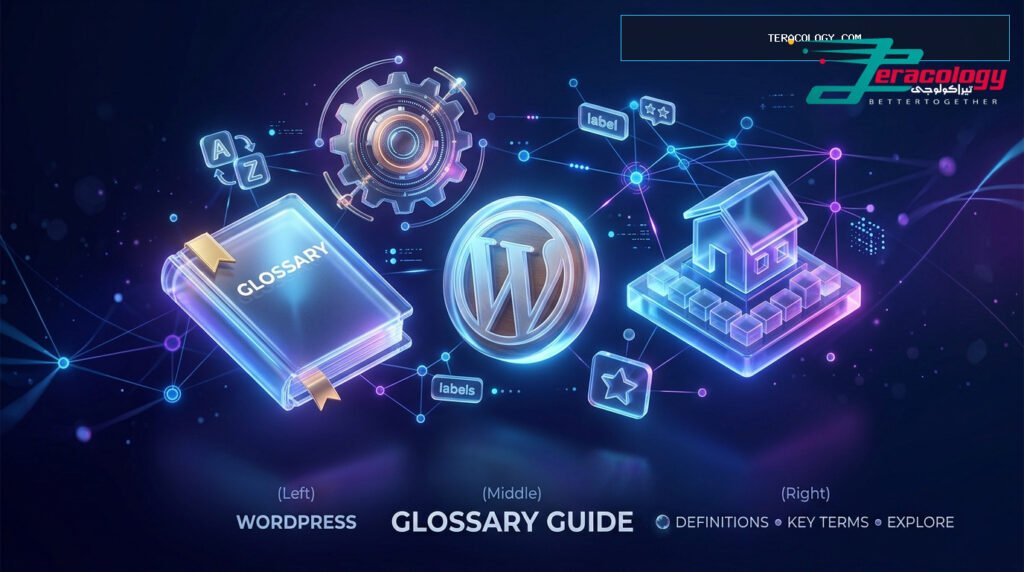
Stepping into the WordPress ecosystem for the first time can feel overwhelming with jargon like Slugs, Widgets, Taxonomies, and Hooks. This comprehensive WordPress Glossary breaks down all critical WordPress terms into clear, non-technical explanations using real-world analogies, giving non-technical beginners total confidence to build and manage their websites.
When launching your very first website, you immediately encounter a wave of technical terminology across dashboards, documentation, and community forums. Understanding essential WordPress concepts is not just academic; it is the fundamental key that grants you full control over your digital presence without relying constantly on web developers.
In this curated guide by Teracology, we present the ultimate WP glossary for beginners. We decode complex technical definitions into relatable everyday analogies, enabling you to master WordPress terminology and unlock the true potential of the world’s leading CMS.
Why Every Beginner Needs a Dedicated WordPress Glossary
Imagine arriving in a foreign country without knowing a single word of the local language; ordering food or finding directions becomes frustrating. Navigating the WP Admin dashboard for the first time feels identical! Learning essential WordPress terms empowers you to:
- Accelerate Your Learning Curve: Read online tutorials and implement step-by-step guides effortlessly without pausing at unfamiliar jargon.
- Communicate Effectively with Support & Developers: Describe technical issues precisely when asking for help in community forums.
- Maintain & Scale Your Own Site: Select the right themes, plugins, and hosting environments tailored to your business goals.
Part 1: Core Architectural & Content Concepts
The Core refers to the fundamental PHP files and engine powering the system. Think of the Core as the ” Foundation and Steel Frame “ of a house; it provides the core security and essential mechanics while receiving regular free updates to keep your site safe.
One of the most frequent points of confusion for newcomers in WordPress terminology is distinguishing between Posts and Pages:
- Post: Dynamic content listed in reverse chronological order (such as news, tutorials, and blog updates). Think of Posts as ” Daily Newspaper Editions “ that flow regularly and rely on categories and publish dates.
- Page: Static content that remains timeless and unassociated with publish dates (such as About Us, Contact Us, Privacy Policy). Think of Pages as ” Permanent Signboards “ mounted at your company entryway.
The organizational framework used to classify content in WordPress is called a Taxonomy. Here is the simple distinction:
- Categories: Broad, high-level topics representing the primary sections of your website (e.g., News, Tutorials, Design). Think of Categories as ” Large Library Shelves “.
- Tags: Specific micro-keywords describing precise topics inside an individual article (e.g., SEO, Rank Math, Security). Think of Tags as ” Index Labels “ stuck on specific books on a shelf.
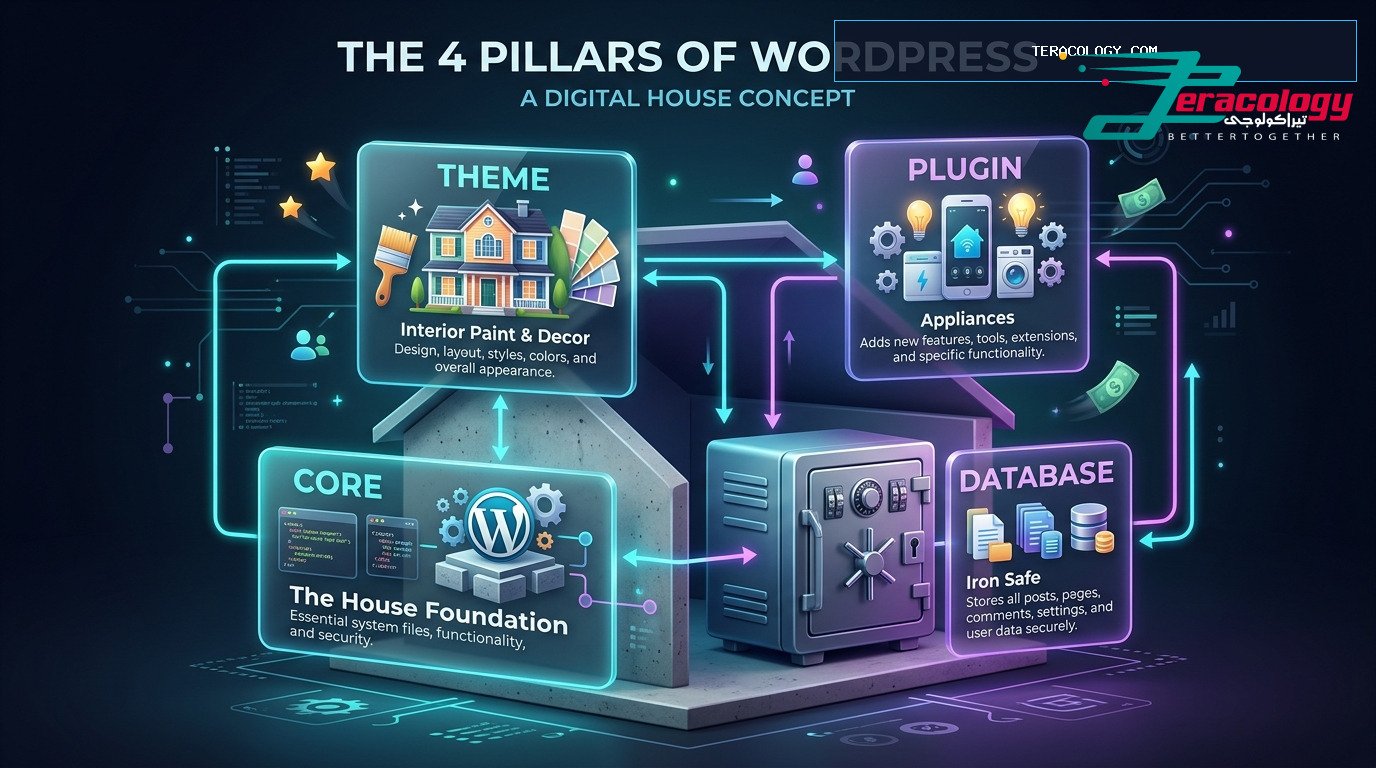
3D Infographic: The 4 Core Pillars of WordPress Architecture (Core, Themes, Plugins, Database)
Part 2: Design, Styling & Layout Terminology
A Theme dictates the visual presentation, styling, typography, and layout of your website. In our WordPress Glossary, a Theme represents the ” Interior Design, Furniture, and Paint “ of your home. It governs your colors, header layouts, and footer designs.
A Child Theme is a sub-theme inheriting all code and styles from its parent theme while allowing you to add custom CSS or PHP safely. Using a child theme ensures your custom modifications are never overwritten during theme updates.
Gutenberg is the modern visual block editor in WordPress. It operates like ” LEGO Bricks “; your webpage consists of individual blocks for paragraphs, images, buttons, and headings, enabling easy drag-and-drop page assembly.
FSE is the modern WordPress feature allowing site owners to customize headers, footers, and page templates visually using Gutenberg blocks without needing third-party page builders.
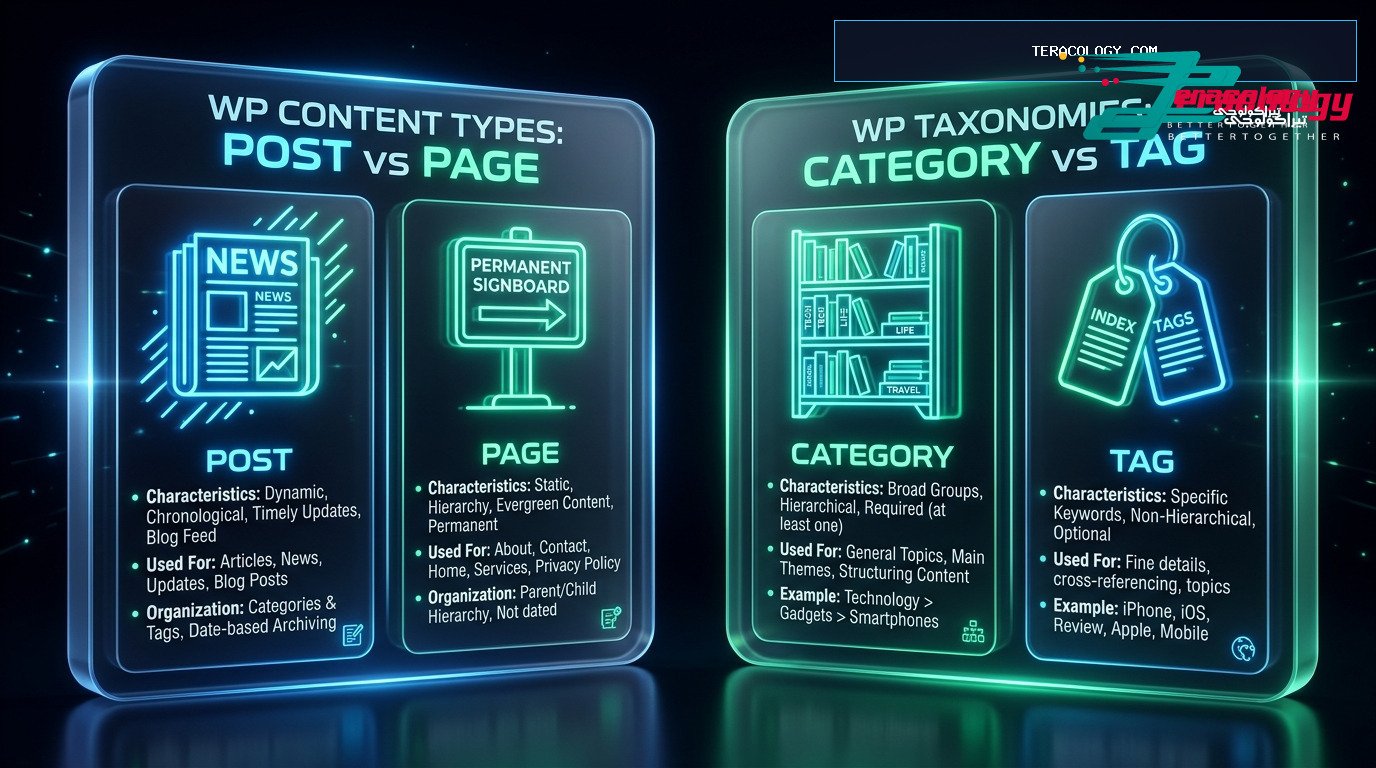
Infographic Diagram: WordPress Post vs Page and Category vs Tag Explained
Part 3: Extensibility & Advanced Features
A Plugin is a modular extension uploaded to WordPress to introduce brand-new features not included in the core software. In our breakdown of WordPress terms, Plugins act as ” Household Appliances “—like installing a washing machine or refrigerator. Examples include contact form plugins, Rank Math SEO, and WooCommerce.
Widgets are small content blocks placed in designated widget areas (such as sidebars or footers) to display quick information, such as recent posts, search bars, or social media buttons.
While often referenced by developers, understanding Hooks at a high level helps every site owner:
- Action Hooks: Triggers that tell WordPress to perform a task at a specific moment (e.g., sending a welcome email when a user registers).
- Filter Hooks: Tools used to modify or filter data before it is rendered on screen (e.g., capitalizing blog post titles before printing).
Part 4: URLs, Databases & SEO Concepts
A Permalink is the permanent, unique URL leading visitors and search engines to a specific post or page (e.g., `https://teracology.com/what-is-wordpress/`). Search engines favor clean permalinks containing your focus keyword.
The Slug is the user-friendly end portion of a URL identifying a specific page cleanly. Optimizing your slug with primary keywords improves both user readability and search engine rankings.
The MySQL Database is the ” Secure Iron Vault “ storing all your text content, user credentials, settings, and comments. Post content resides in the `wp_posts` table, while custom fields are saved in `wp_postmeta`.
The primary header graphic designed for an article, displayed at the top of the post and automatically attached when sharing links across social networks like Facebook and Twitter.
At-a-Glance WordPress Terms Comparison Table
| Term | Definition | Everyday Analogy |
|---|---|---|
| Core | Fundamental PHP Engine | House foundation & structural frame |
| Theme | Visual Design & Layout | Interior paint, furniture & decor |
| Plugin | Feature Extension App | Home appliances adding new utility |
| Post | Timely Dynamic Content | Daily newspaper editions |
| Page | Timeless Static Content | Permanent office entrance signboard |
| Slug | Clean URL Identifier | Street name & building number |
❓ الأسئلة الشائعة (FAQ)
A: Not at all! Bookmark this guide as a quick reference. As you spend time working inside the WP Admin dashboard, these terms will naturally become part of your everyday vocabulary.
A: A Theme controls **how your site looks**, whereas a Plugin controls **what your site does**. Changing your theme will not delete the data managed by your active plugins.
A: Gutenberg blocks control content arrangement within pages. Plugins provide broader functionality like caching, SEO audits, and e-commerce transactions. Many plugins actually register custom blocks to enhance the editor.
Conclusion & Final Next Steps
Mastering essential WordPress concepts through this comprehensive WordPress Glossary eliminates months of trial and error, making your web design journey rewarding and enjoyable.
Remember that Teracology provides updated 2025 tutorials and benchmarks. Confidently launch your site today and take full command of your web presence!
Advanced Technical Terms Simplified for Beginners
To ensure this WordPress Glossary delivers maximum educational depth, let us explore additional technical concepts every non-technical website owner encounters as their online presence grows:
Caching is the process of generating static HTML snapshots of your dynamic pages to serve them instantly to website visitors. Caching acts like ” Keeping pre-printed photocopies “ of a document rather than rewriting the paper from scratch for every single reader.
An SSL Certificate encrypts data transmitted between a visitor’s browser and your web server, displaying a secure padlock icon in the browser address bar. Enabling SSL is essential for e-commerce security and Google SEO ranking signals.
A CDN is a global network of distributed servers that stores cached copies of your heavy media assets (like images, CSS, and JavaScript files), delivering them to users from the geographically closest server location for maximum speed.
Common Beginner Misconceptions in WordPress Terminology
As you explore learning tutorials explaining WordPress concepts, avoid these frequent pitfalls:
- Confusing Domain Name with Web Hosting: Your domain is your street mailing address; web hosting is the physical plot of land where your home stands.
- Overloading Your Site with Unnecessary Plugins: Every active plugin consumes server CPU and RAM. Install only trusted, regularly updated plugins.
- Modifying Parent Theme Files Directly: Always utilize a Child Theme or Code Snippets plugin to ensure your updates are never overwritten during theme upgrades.
Conclusion & Final Words
Mastering essential WordPress terms through this comprehensive WP glossary for beginners eliminates confusion and provides the confidence needed to grow your digital brand. Explore the next guide in our Teracology series today!
Alphabetical Quick Index of Popular WordPress Terms
Here is a rapid reference index inside our WordPress Glossary to help you quickly look up essential WordPress terminology while managing your website:
- API: Application Programming Interface allowing WordPress to communicate seamlessly with external services.
- CSS: Cascading Style Sheets responsible for styling colors, fonts, and responsive page design.
- FTP: File Transfer Protocol enabling direct file access to your web server from your local computer.
- PHP: The core server-side scripting language driving WordPress, themes, and plugins.
- Shortcode: A small code bracket like `[my_form]` inserted into content to trigger complex functionality effortlessly.