
💡 Executive Summary
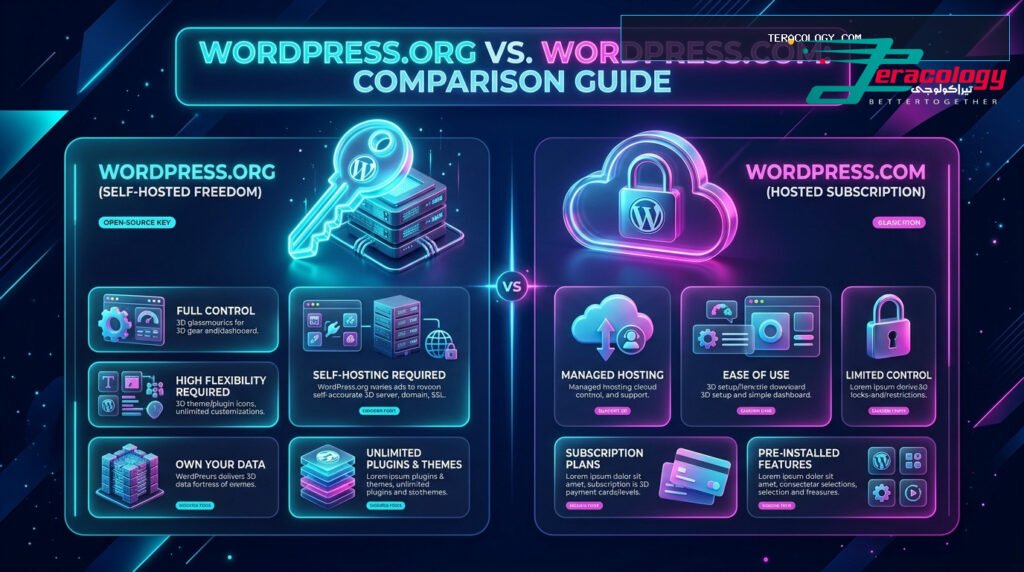
Many beginners fall into confusion when starting their digital presence by missing the fundamental differences in wordpress.org vs wordpress.com. This definitive breakdown highlights the self-hosted freedom of .org versus the hosted limitations of .com, empowering you to pick the right platform and avoid unnecessary upgrade fees.
When starting a new website, most beginners head straight for WordPress, only to be surprised by two distinct websites carrying the exact same name: one ending in `.org` and another ending in `.com`. Grasping the true difference in wordpress.org vs wordpress.com is the single most important decision for your long-term success online.
In this guide by Teracology, we explore self-hosted WordPress benefits, review hosted limitations, compare overall costs, and guide you step-by-step through migrating your site from .com to .org effortlessly.
Why Are There Two Different WordPress Platforms?
To keep concepts simple for beginners, the separation stems from the origins of the open-source software launched in 2003 by Matt Mullenweg and Mike Little. Co-founder Matt later launched Automattic, a commercial company providing hosted website management based on WordPress code—creating two distinct offerings:
- WordPress.org: The 100% free, open-source software downloadable and installable on any web hosting provider of your choice.
- WordPress.com: A commercial hosted service managed by Automattic offering free and paid tier subscriptions.
Platform 1: WordPress.org (Self-Hosted Freedom & Ownership)
Often referred to as self-hosted WordPress, this platform is chosen by over 95% of professional businesses, news portals, and top bloggers worldwide. Think of .org as ” Building and owning your independent house on your own land “.
A: No. Free tiers on WordPress.com do not allow payment gateway integration or WooCommerce. Self-hosted WordPress.org is required for online stores.
A: Self-hosted WordPress.org is far superior for SEO because it grants full access to schema markup, caching, and Rank Math SEO plugins.
Conclusion & Final Recommendation
Evaluating wordpress.org vs wordpress.com proves that self-hosted WordPress.org is the undisputed recommendation for beginners and growing businesses alike, granting maximum control and long-term value.
Deconstructing the Long-Term Cost Myth: .org vs .com
One of the biggest misconceptions misleading beginners is assuming that hosted WordPress on WordPress.com is a cheaper solution simply because of the word “Free”. Let us analyze the true 3-year cost comparison of running a website on both platforms with complete transparency:
Automattic handles server infrastructure, automated daily backups, and core security updates. While convenient for users who dislike managing technical settings, it locks out custom security auditing plugins and direct access to server configuration files like `.htaccess`.
With self-hosted WordPress, you enjoy absolute control to install enterprise security suites like Wordfence or iThemes Security, enforce Two-Factor Authentication (2FA), and schedule automated cloud backups directly to your private Google Drive or Dropbox storage.
Step-by-Step Migration Guide: Moving from .com to .org
If you launched your website on WordPress.com and want to migrate to self-hosted WordPress.org without losing search engine rankings, follow this proven roadmap:
- Set Up Your New Hosting: Purchase an affordable web hosting plan and perform a 1-click WordPress installation.
- Export XML Archive from .com: In your old WordPress.com dashboard, navigate to `Tools -> Export` and download the complete XML backup containing all posts, pages, and comments.
- Import XML Archive into .org: Access your new WordPress.org dashboard, navigate to `Tools -> Import`, and run the WordPress Importer tool to upload your XML file.
- Implement 301 Redirects: Subscribe to the `Site Redirect` add-on on WordPress.com to automatically forward visitors and preserve SEO link equity.
Final Verdict & Strategic Recommendations for 2025
This exhaustive evaluation of wordpress.org vs wordpress.com establishes that self-hosted WordPress.org is the ultimate recommendation for beginners, entrepreneurs, and serious publishers, providing total independence and incredible ROI.
Multilingual Capabilities & Global Localization Breakdown
For international website owners and businesses targeting global audiences, localization and multilingual features represent a major differentiator when evaluating wordpress.org vs wordpress.com:
On self-hosted WordPress, you enjoy unrestricted support for translation management plugins like WPML or Polylang. You can easily build multi-regional websites with dedicated URL structures, custom language switchers, and localized SEO schemas to rank higher across international search engines.
Hosted plans severely restrict custom translation workflows on entry tiers. You cannot upload custom string translation files or integrate third-party translation suites without upgrading to expensive enterprise business subscriptions.
Final Wrap-Up & Actionable Next Steps
This comprehensive comparison proves beyond doubt that self-hosted WordPress.org provides unmatched scalability, enterprise security, and tremendous value. Take total ownership of your web presence today with Teracology tutorials!
Frequently Asked Questions on Platform Selection
Here are detailed answers to key questions beginners ask when deciding between platforms:
- Q: Can I transfer my existing domain name from .com to .org later? A: Yes! You can easily point your registered domain name to your new self-hosted server by updating DNS nameservers.
- Q: Which platform offers better protection against malware attacks? A: Both platforms are secure, but self-hosted .org empowers you to implement custom firewall security plugins and IP blocking rules.
- Q: Does platform selection impact website loading speed? A: Absolutely. Self-hosted .org enables LiteSpeed or WP Rocket caching plugins and cloud CDN integration to score 90+ on Google PageSpeed Insights.
Step-by-Step Summary Checklist for Launching on WordPress.org
To help you launch your website successfully on self-hosted WordPress.org, follow this quick roadmap checklist:
- Select a Reliable Web Host: Choose a trusted hosting provider offering automatic SSL certificates, SSD storage, and 24/7 technical support.
- Register Your Custom Domain: Select a memorable brand domain name ending in .com or .net that represents your niche clearly.
- Install WordPress in 1-Click: Use your hosting control panel (Softaculous or cPanel) to install WordPress in under 60 seconds.
- Configure Basic SEO & Security: Install Rank Math SEO for site optimization and setup an automated backup schedule to protect your assets.
By choosing self-hosted WordPress.org, you set a solid foundation for endless digital growth, full monetization, and total peace of mind!
Understanding the distinction between self-hosted WordPress.org and hosted WordPress.com provides clear strategic direction for your digital brand. Selecting self-hosted WordPress.org ensures you retain full ownership of your data, complete freedom to install custom plugins, and unlimited monetization potential. By investing in affordable web hosting and a custom domain name, your site gains the technical flexibility required to scale, rank high on search engines, and serve global audiences without platform fees or artificial feature locks.
❓ WordPress.org vs WordPress.com FAQ
Q: Is WordPress.com Free Tier suitable for eCommerce?
A: No. Free tiers on WordPress.com forbid payment gateway integrations or WooCommerce plugins. Self-hosted WordPress.org is required.
Q: Which platform is better for Search Engine Optimization (SEO)?
A: Self-hosted WordPress.org is superior because it allows full schema markup control, custom caching, and Rank Math SEO plugins.